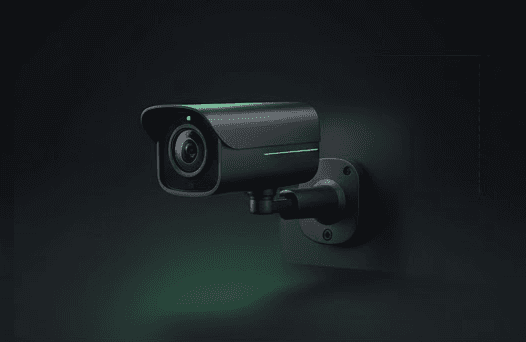
Google Nest Cam (Battery) devices shut down in freezing weather because lithium-ion batteries cannot chemically accept a charge below 32°F (0°C). The camera's protection circuit disconnects power to prevent permanent battery damage from cold-weather charging attempts.
Quick answer
- Root cause: Lithium-ion batteries physically cannot charge below freezing temperatures
- Primary fix: Connect a weatherproof power cable to run the camera on AC power, bypassing the frozen battery
- Backup solution: Bring the camera indoors to warm above 40°F before charging
- Applies to: Google Nest Cam (Battery), Nest Doorbell (Battery)
Symptoms
- App shows "Offline" or "Low Battery" despite recent charging
- Error message: "Charging paused: Camera is too cold"
- Camera disconnects at night but reconnects in the afternoon
- Plugged-in camera still shows battery percentage dropping in winter weather
- Solar panel stops charging even in direct sunlight during cold days
Quick checks
- Check ambient temperature: Confirm outdoor temperature is below 32°F
- Verify app error message: Look for cold weather warnings in the Google Home app
- Test timing pattern: Note if disconnections happen during coldest hours (typically 3-6 AM)
- Check power source: Identify if you're using battery-only, solar panel, or wired connection
Step-by-step fix
- Purchase a weatherproof power cable — Use the official Google weatherproof cable or Wasserstein outdoor power adapter
- Locate nearest outdoor outlet — Ensure the 10ft cable can reach your camera mounting location
- Connect the power cable — Plug the weatherproof connector into the camera's charging port
- Verify wired mode activation — Open Google Home app → select your camera → check that it shows "Wired" power status
- Test during cold weather — The camera will now run entirely on AC power, bypassing the frozen battery
- Leave battery installed — Do not remove the battery; it provides backup power and will resume charging when temperatures rise above 32°F
Understanding the logic: When plugged in below 32°F, the battery still will not charge, but the camera switches to "Wired Mode" and runs entirely off wall electricity, bypassing the frozen battery completely.
If it still isn't working
- Extreme cold below -4°F: Even wired power may fail as the camera's electronics reach their operating limit
- Check Wi-Fi signal strength: Cold weather can cause condensation/ice buildup that attenuates Wi-Fi signals
- Verify weatherproof cable integrity: Standard USB cables will fail outdoors due to water intrusion and pin corrosion
- Test DHCP lease time: If the camera connects but drops frequently in mild weather (40°F+), this indicates a network issue, not temperature
FAQ
Can I use a solar panel in winter? No. Solar panels charge the battery, and if the battery cannot accept charge due to cold temperatures, the solar panel becomes useless even in full sun. Switch to a wired AC adapter for winter months.
Is it safe to warm the battery with a hair dryer? No. Rapid thermal expansion can cause battery swelling and permanent damage. Bring the entire camera indoors and let it warm naturally to room temperature.
Will a standard USB cable work outdoors? No. Non-weatherproof cables allow water to wick into the charging port, causing pin corrosion within weeks. Only use weatherproof power cables designed for outdoor use.
What's the difference between battery charging and wired operation? Above 32°F: Camera charges battery and runs normally. Below 32°F with wire: Battery won't charge but camera runs on AC power. Below 32°F without wire: Camera shuts down to protect battery.