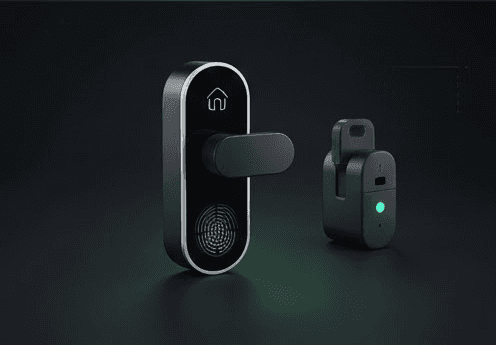
Your August Smart Lock not locking or unlocking typically stems from calibration issues, door alignment problems, or connectivity troubles. The lock's motor needs clear deadbolt movement and proper position settings to function reliably.
Quick Answer
- Open August app → Lock Settings → Calibrate Lock → follow prompts to set locked/unlocked positions
- Check deadbolt moves freely by hand when lock is removed
- Verify DoorSense magnet alignment on door frame
- Replace batteries if below 20% (2x CR123A lithium batteries)
- Stay within 30-40 feet for Bluetooth, keep WiFi bridge within 5 feet of lock
Symptoms
- Lock makes buzzing sound but doesn't turn
- App shows "lock jammed" or timeout errors
- Auto-lock feature stops working
- Delayed response to lock/unlock commands
- Lock works intermittently or only sometimes
Quick Checks
- Battery level: Check August app for battery percentage below 20%
- Manual test: Remove lock, turn deadbolt by hand - should move smoothly
- Range test: Stand closer to lock (within 10 feet) and try again
- Door position: Ensure door is fully closed when testing auto-lock
- App connection: Force-close and reopen August app
Step-by-Step Fix
-
Open the August app and select your lock from the home screen
-
Navigate to Lock Settings → Calibrate Lock
-
Follow the calibration prompts:
- Manually turn deadbolt to fully locked position
- Tap "Locked" in app when positioned correctly
- Manually turn to fully unlocked position
- Tap "Unlocked" in app
-
Check door alignment:
- Remove the lock from door (twist counterclockwise)
- Test deadbolt manually - should extend and retract smoothly
- If stiff, apply graphite lubricant to deadbolt mechanism
-
Install DoorSense magnet:
- Stick magnet on door frame aligned with sensor dot on lock
- Test alignment - app should show "Door Open/Closed" status
-
Verify auto-lock settings:
- August app → Lock Settings → Auto-Lock
- Set timer (default 30 seconds after door closes)
- Enable DoorSense requirement if desired
-
Check connectivity:
- For WiFi models: Position bridge within 5 feet of lock
- Test from close range (under 10 feet) first
If August Lock Still Won't Respond
Update firmware: August app → Lock Settings → Device Info → check for available updates. 4th Gen WiFi models need firmware 1.59.0+ for reliable performance.
Factory reset the lock: Hold down the reset button (small hole on back) for 10 seconds until LED flashes red. Recalibrate and reconnect to WiFi.
Replace batteries with quality CR123A lithium: Cheap batteries cause voltage drops that prevent motor operation. Energizer CR123A Lithium Batteries 6-Pack (paid link)
Check deadbolt brand compatibility: Some deadbolts have internal springs too strong for August's motor. The lock should turn your deadbolt easily by hand.
Paid link: GearGuiders may earn a commission at no extra cost to you.
FAQ
Why does my August lock buzz but not turn? The motor engages but can't overcome deadbolt resistance. Remove the lock and test if your deadbolt turns smoothly by hand. Sticky deadbolts need lubrication or the August lock needs a different mounting position.
How close do I need to be for Bluetooth to work? Bluetooth range is 30-40 feet through walls, but thick doors and metal can reduce this to 10-15 feet. For consistent remote access, use the WiFi bridge or 4th Gen's built-in WiFi.
What's the difference between calibration and DoorSense? Calibration teaches the lock motor where "locked" and "unlocked" positions are. DoorSense uses a magnet to detect if the door is open or closed, enabling auto-lock only when the door shuts completely.
Why does auto-lock randomly stop working? Usually caused by DoorSense magnet misalignment or low battery voltage. The magnet must stay aligned with the sensor dot on the lock body. Batteries below 20% cause intermittent failures even if the lock sometimes works.